Automatic background time tracking
Clockk tracks work in the background without start and stop timers so you can move between tasks without interrupting your workflow.
 Skip to content

Discover Clockk’s AI-powered time tracking solution designed for multi-taskers.
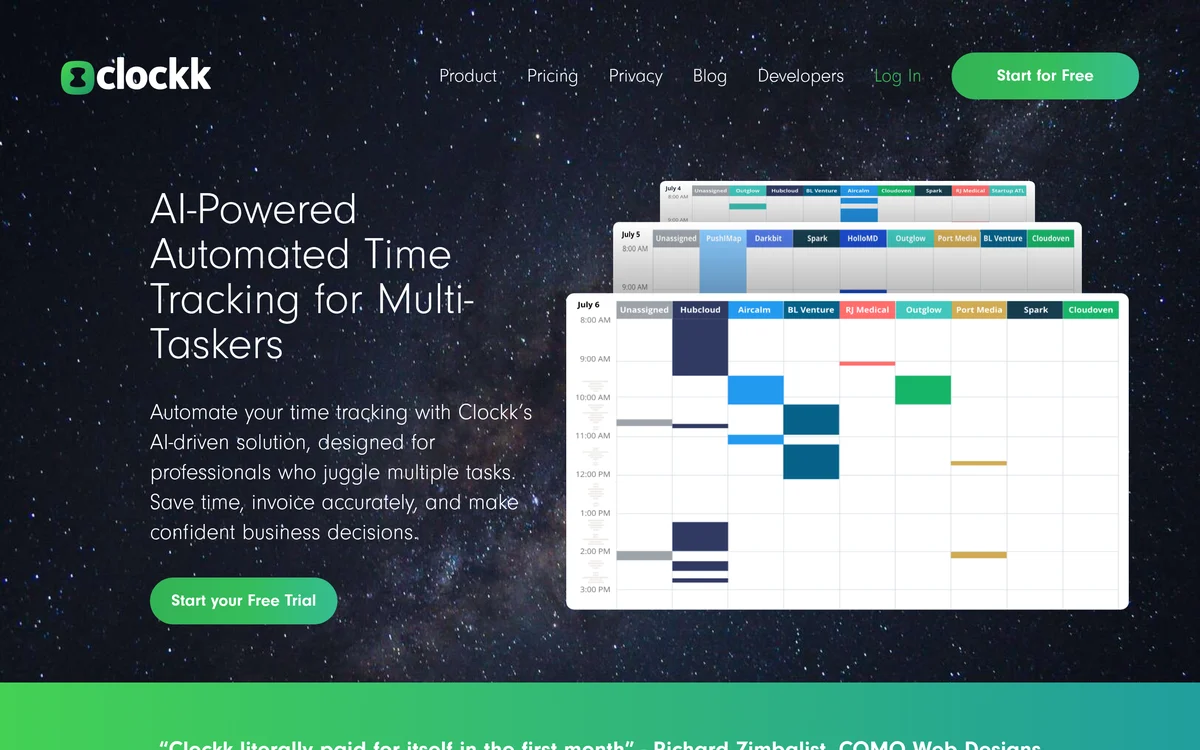
Clockk is an AI time tracker for people who jump between tasks.
It tracks work in the background without start and stop timers, and can record billable hours for invoicing.
Clockk tracks work in the background without start and stop timers so you can move between tasks without interrupting your workflow.
Clockk tracks billable hours so clients can be invoiced from recorded work instead of estimates.
Clockk visualizes your day project by project, including time spent moving between projects, calls, and meetings.
Clockk automatically captures activity across your browser, apps, documents, emails, calendars, and related sources.
Clockk shows files you edited, apps and web apps used, calendar events, project management updates, and emails sent, organized by project.
You assign tasks to projects with a couple of clicks, and Clockk’s AI learns from that input to tag work automatically.
The automatic time tracker integrates in real time with popular products, including project management software, to share data with your current tools.
Every plan tracks all projects; you can archive a finished project, still open its reports, and unarchive it later.
You can analyze time data by day, team member, client, project, or any combination of those.
Clockk shows who still needs to submit timesheets and lets you drill into each user’s project activity.
Free and paid users get a free daily Insight email with a snapshot of what they worked on.
You control who sees what; your data stays private to you and your organization and can be deleted at any time.
| Plan | Price | Notes |
|---|---|---|
| Insight | $8/month per user | Includes: Unlimited access to Activity View; Unlimited tracked data retention; Daily Timesheet Cheatsheet email; Limited API access. |
| Studio | $15/month per user | Includes: Tags (aka "task types"); Assign teammates to projects; Project budgets; Team timesheet reports. |
| Agency | $20/month per user | Includes: Single Sign-On (SSO); 1 admin assistant per seat; Full API access and dedicated API support; Dedicated account manager. |
| Express | Free | Includes: Daily Timesheet Cheatsheet email; Same-day access to the Activity view; Three months of limited tracked data retention. |
Pricing checked on 28 November 2026. Source