Live subtitles and dubbing
DubTab adds live subtitles and low-latency AI dubbing to sound that is already playing, with nothing to upload and no waiting.
 Skip to content

Real-time voice translator with natural AI dubbing. It adds live subtitles and low-latency AI dubbing through a Chrome and Edge extension.
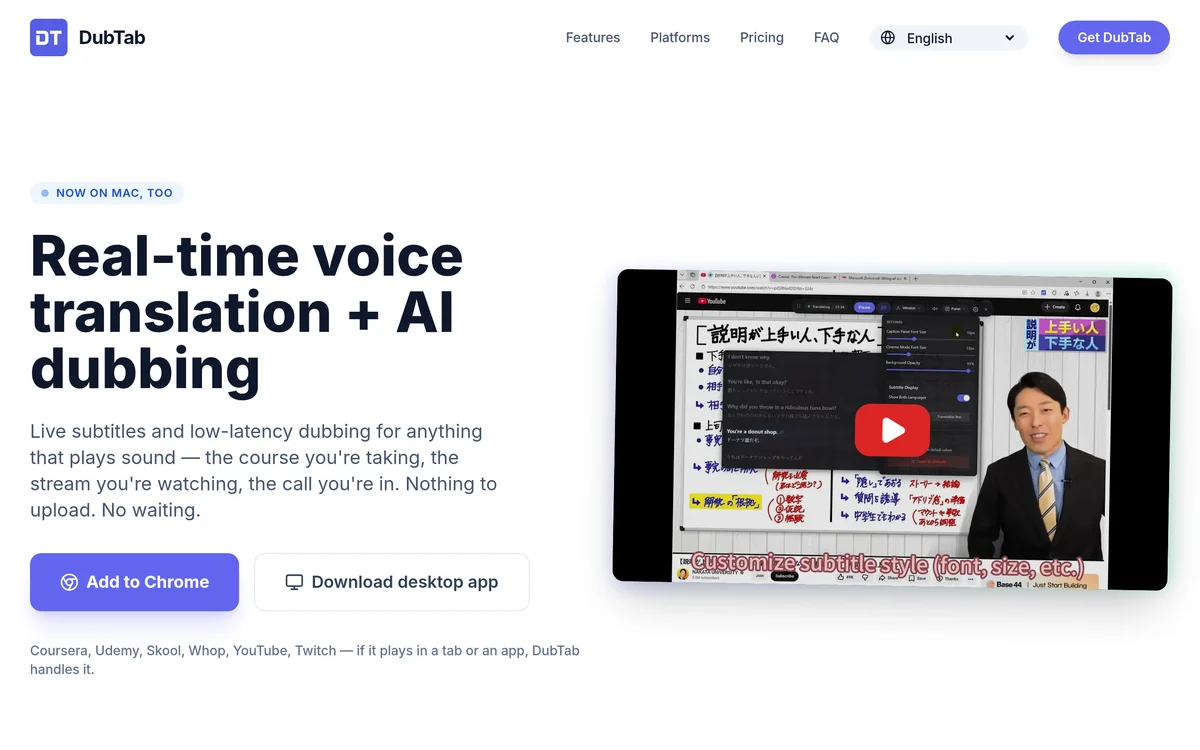
DubTab adds live subtitles and low-latency AI dubbing to sound that is already playing, with nothing to upload and no waiting.
The Chrome and Edge extension runs on Windows, macOS, and Linux and dubs courses, YouTube, Twitch, Netflix, Bilibili, and other tab or live-stream audio.
The Windows 11 and macOS 14.2+ desktop app can cover every sound the computer plays, including browser tabs, or target one app, player, call, or local file.
On Android 10+ phones and tablets, translated captions float over the video and a dubbed voice plays over the original inside the app you already use.
From a video’s Share menu, the Android app can dub video files on the phone and save a copy that includes the dub.
After you point DubTab at a tab, one app, or the whole system and hit Start, you pick languages and a voice.
Subtitles and the AI voice land about half a second after the speaker, which the page presents as quick enough for live streams and calls.
You can pick the AI voice and set how much of the original audio you still hear underneath it.
Optional bilingual subtitles can keep the original under the translation or show the translation alone.
Open MP4, MKV, MOV, or WebM files, or drop a course folder; the file stays on the computer, lines are prepared slightly ahead, and already-prepared parts replay free on that computer.
What DubTab hears is processed as it plays and is not saved as a recording; dubbed audio is kept only if you turn that on, and you can delete it.
The page lists 50+ languages for dubbing video into a preferred language with natural-sounding AI voices, and says more languages are coming soon.
| Plan | Price | Notes |
|---|---|---|
| Free | Free | Includes: 15 minutes total; 3 AI credits; One-time trial. No reset; For AI Summary & Ask AI. |
| Starter | $19/month | Includes: 9 hours / month; 30 AI credits / mo; ~$2.1/hr; For AI Summary & Ask AI. |
| Pro | $39/month | Includes: 20 hours / month; 100 AI credits / mo; ~$2.0/hr; For AI Summary & Ask AI. |
| Power | $69/month | Includes: 40 hours / month; 300 AI credits / mo; ~$1.7/hr; For AI Summary & Ask AI. |
| Ultra | $129/month | Includes: 80 hours / month; 1,000 AI credits / mo; ~$1.6/hr; For AI Summary & Ask AI. |
| Team | Custom (contact sales) | Includes: Custom / Contact for quota; Flexible seats — add or remove team members anytime; Shared hours pool across your entire team; Dedicated account support & onboarding. |
Pricing checked on 28 November 2026. Source