Save design references
Save images, screenshots, videos, fonts, and design files from the web or your computer into Eagle.
 Skip to content

Asset manager for designers: save, organize and find your reference images and files.
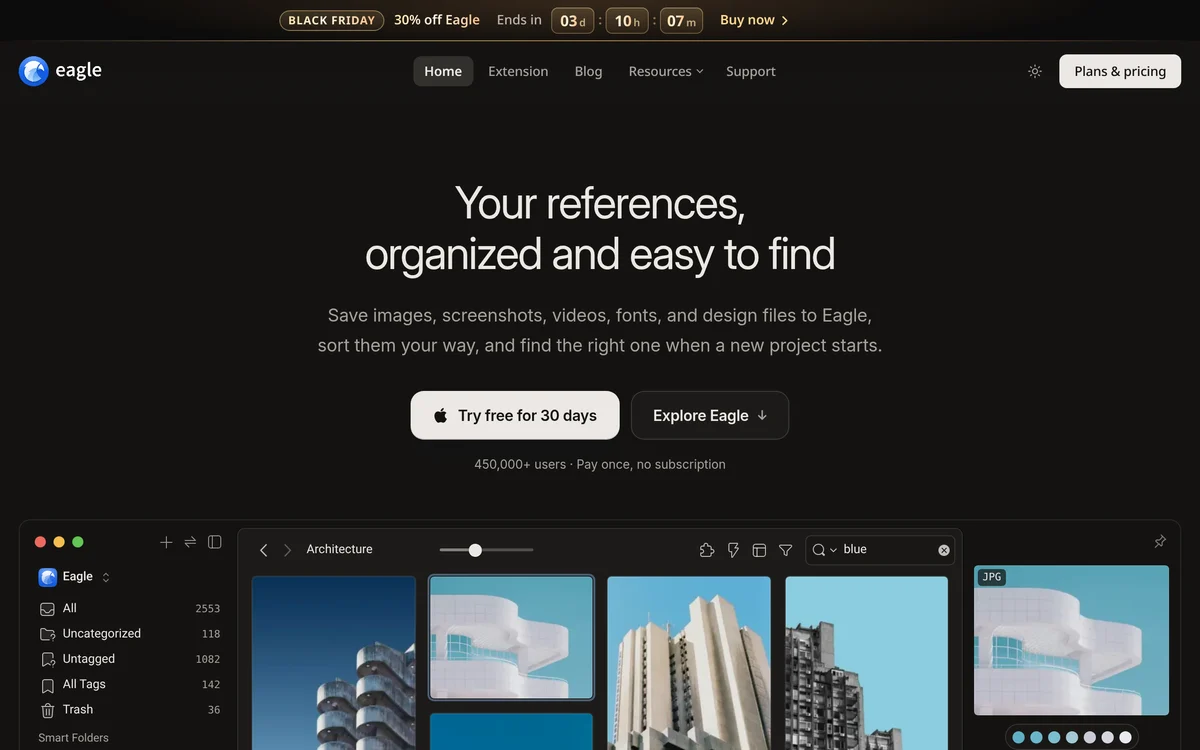
Save images, screenshots, videos, fonts, and design files from the web or your computer into Eagle.
Save images and screenshots from web pages with the Eagle browser extension, or add files from other apps and your clipboard.
Sort assets with tags, folders, and smart folders, and adjust the system as the library grows.
Search by keyword, color, format, and more than a dozen filters to narrow a large library.
Search by what an image shows, not only its filename.
Apply your naming and tagging rules to many assets at once.
Hover or press the spacebar to preview images, videos, audio, and fonts without opening each file.
Assets keep their original proportions without cropping.
Install plugins from the Plugin Center to add features such as background removal and image upscaling.
Eagle stays smooth with tens of thousands of images so the library remains easy to use as it grows.
| Plan | Price | Notes |
|---|---|---|
| Eagle | US$34.95 one-timeBlack Friday price: US$24.46 one-time (ends 1 December 2026) | Includes: One license key works on two devices; Works on macOS and Windows; Free upgrade to Eagle 5; All subsequent updates. |
Pricing checked on 28 November 2026. Source