Plain-English space prompts
Describe bedrooms, style, rough size in m² or sqft, and must-haves in one sentence, and the generator lays out rooms, walls, doors, and dimensions.
 Skip to content

Floor plan AI generator and 3D model creator. Describe bedrooms, style, size and must-haves in plain English, or set room counts in a template tab.
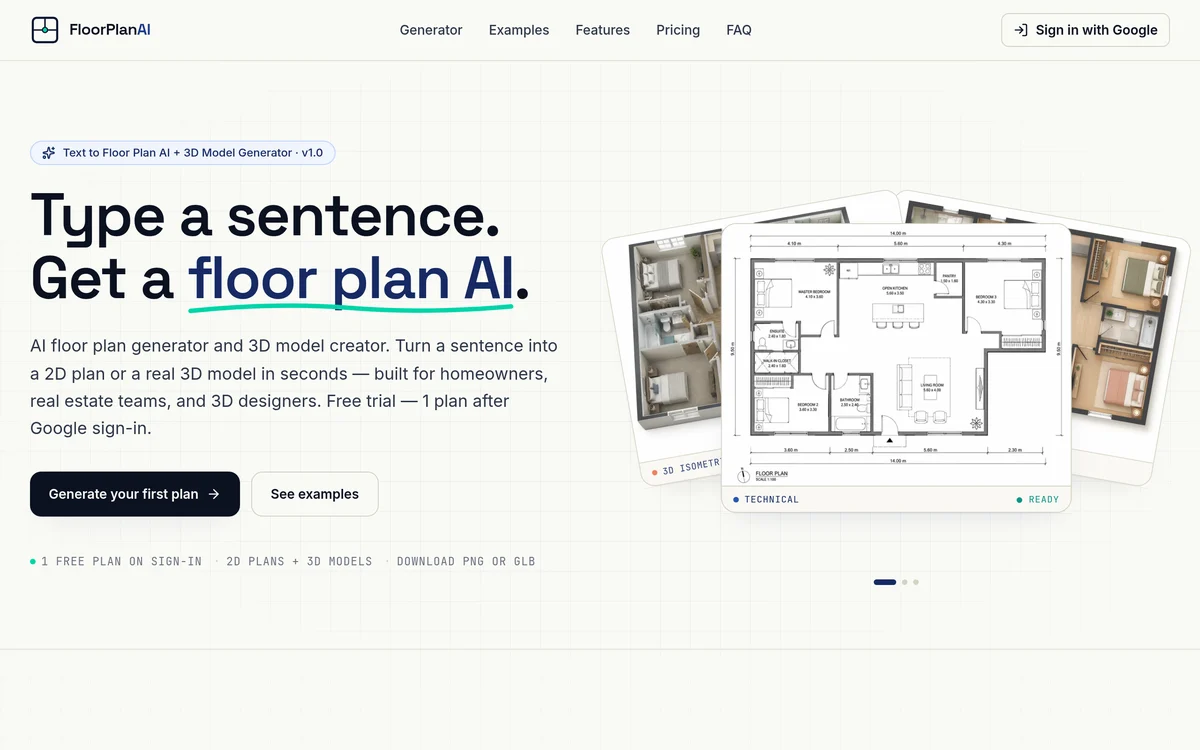
Floor Plan AI generates floor plans and 3D models from a description.
You can describe bedrooms, style, size, and must-haves in plain English, or set room counts in a template tab, and it lays out rooms, walls, doors, and dimensions.
Describe bedrooms, style, rough size in m² or sqft, and must-haves in one sentence, and the generator lays out rooms, walls, doors, and dimensions.
The Template tab lets you set bedroom, bathroom, and floor counts by clicking counters instead of writing a prompt.
Choose technical blueprint, watercolor, marker pen, anime, 2.5D, 3D isometric, or photorealistic for the rendered plan.
Layer in Modern, Scandinavian, Japandi, Mid-Century, Bohemian, Farmhouse, or Industrial interior style.
2D mode produces a labelled top-down layout with walls, doors, and windows in 20–60 seconds, saved as a PNG at 1K, 2K, or 4K.
3D Visualization turns a prompt or photo into a GLB you can rotate and zoom in the browser and open in Blender, Unity, Unreal, three.js, or Apple Vision Pro, in about 2–3 minutes.
Upload up to 16 reference photos, sketches, existing plans, or interior shots so the creator restyles the layout while keeping the structure.
Set the output aspect ratio to Auto, 4:3, 16:9, 1:1, 3:4, or 9:16 before generating.
For 3D models, choose mesh detail from Draft at 40k faces to Ultra at 1.5M faces.
Prompts, reference images, floor plans, and 3D models stay with you; the service states it does not train on your designs or share inputs with third parties.
| Plan | Price | Notes |
|---|---|---|
| Free | Free | Includes: 1 credit on first signup; 1K resolution only; Daily cap: 10 credits / day; 3D models require 10 credits. |
| Pro | $19/month | Includes: 300 credits / month; All 2D resolutions (1K / 2K / 4K); 10 credits per GLB model; Personal & commercial use. |
| Team | $59/month | Includes: 1500 credits / month; Everything in Pro (incl. 3D Visualization); Branded watermark templates; Priority support. |
Pricing checked on 28 November 2026. Source