Floor plan image upload
Upload a floor plan image of a room, home, garden, or outdoor space in PNG, JPG, or WEBP, up to 20MB, by clicking or dragging the file.
 Skip to content

Upload a floor plan and generate photorealistic room views with Floor Plan Rendering AI.
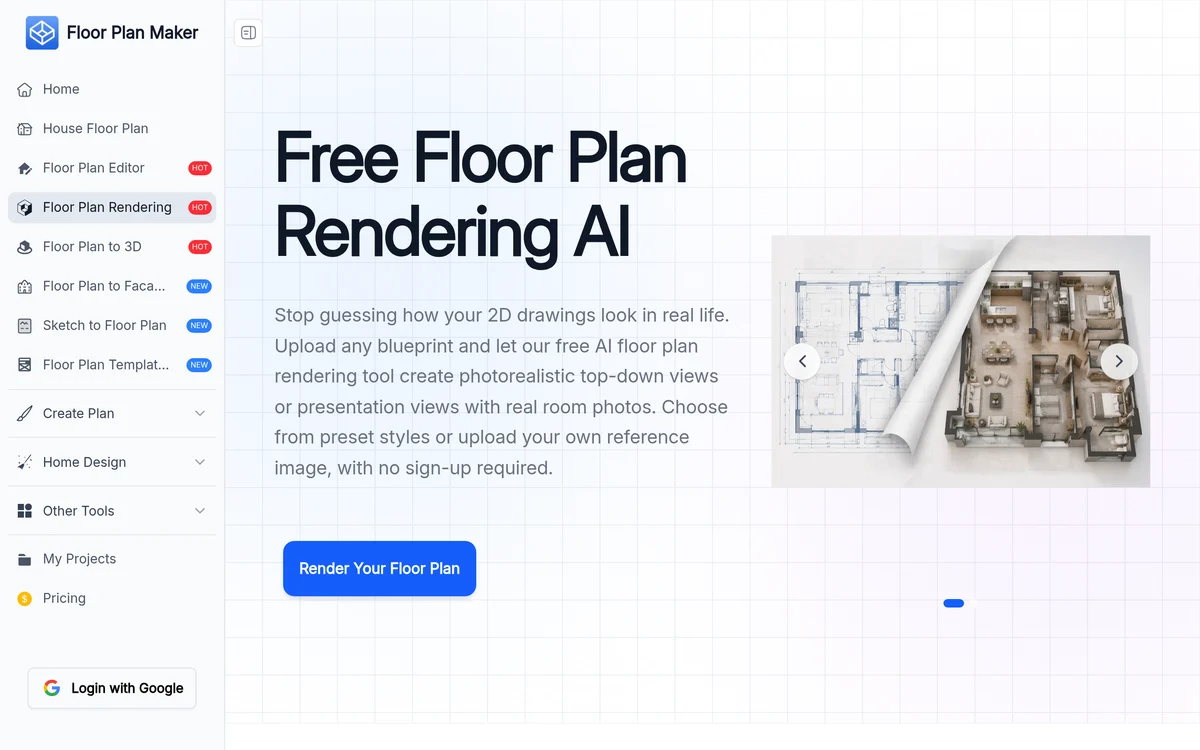
Floor Plan Maker turns an uploaded floor plan into photorealistic room views.
You upload a PNG, JPG, or WEBP image of a room, home, garden, or outdoor space, and it creates a realistic top-down view with furniture and materials.
Upload a floor plan image of a room, home, garden, or outdoor space in PNG, JPG, or WEBP, up to 20MB, by clicking or dragging the file.
The tool creates realistic top-down views of an uploaded layout with furniture, materials, and detailed space visualization.
Presentation View combines a floor plan with real room photos, matches photos to floor plan areas, and can show multiple room perspectives.
Choose from 10+ interior and exterior styles, including listed presets such as Scandinavian, Japandi, and Coastal Style, or upload a style reference image.
The same floor plan can be rendered with different views, interior styles, and visual directions.
Output quality can be set to 1K Standard, 2K HD, or 4K Ultra HD before generating a render.
It can render homes and apartment layouts, gardens and landscape plans, and outdoor or commercial spaces such as patios and streets.
It can preview room layouts, furniture placement, and space flow before redesigning or renovating a home.
Garden layouts, yards, courtyards, and landscape plans can be turned into realistic outdoor previews of paths, plants, and open spaces.
Streets, public areas, parks, and open environments can be visualized from a top-down perspective for layout planning.
The floor plan rendering tool can be used with no sign-up or account registration required.
| Plan | Price | Notes |
|---|---|---|
| Free | Free | Includes: 10 credits; Up to 10 generations; No Watermark; Up to 1K Resolution. |
| Basic | $19.9/month | Includes: 200 credits; Up to 200 generations; No Watermark; 4K Image Resolution. |
| Plus | $39.9/month | Includes: 500 credits; Up to 500 generations; No Watermark; 4K Image Resolution. |
| Pro | $99.9/month | Includes: 1,500 credits; Up to 1500 generations; No Watermark; 4K Image Resolution. |
Pricing checked on 28 November 2026. Source