AI clipping
Finds highlight moments in a long video and cuts them into short clips.
 Skip to content

AI clipping tool for long videos. It finds highlight moments in a long video and cuts them into short clips.
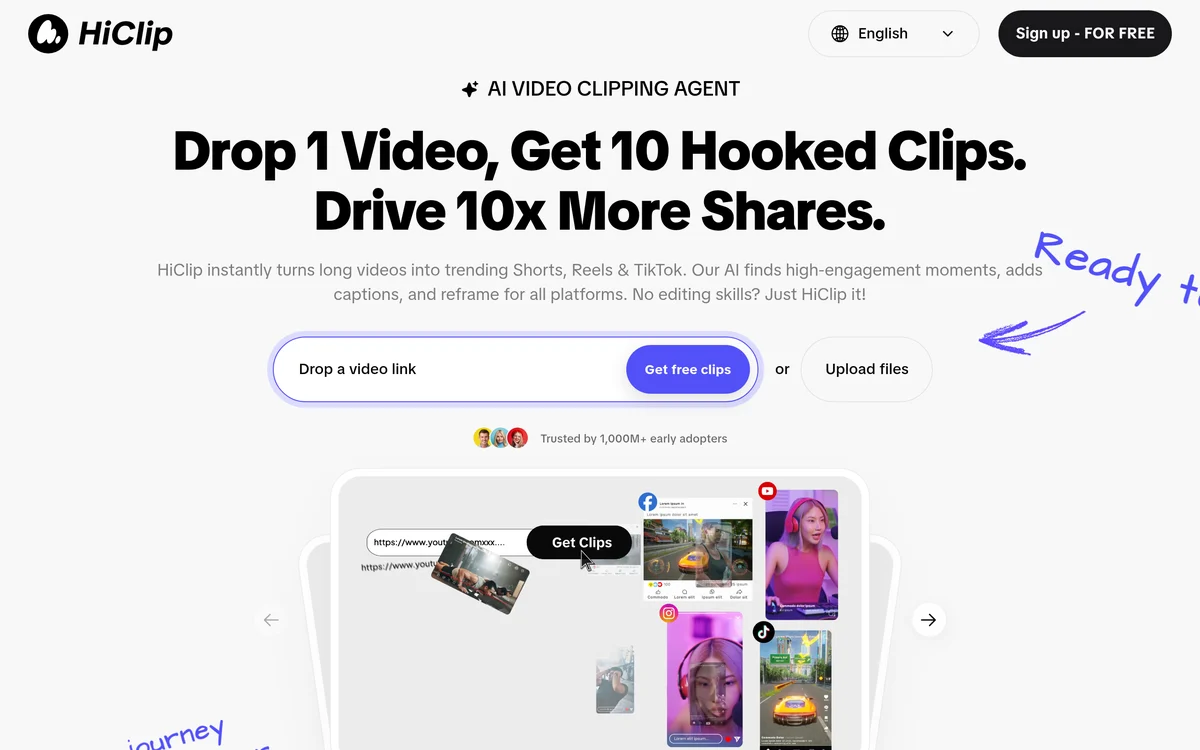
HiClip takes a long video and cuts it into short vertical clips for TikTok, Instagram Reels and YouTube Shorts. You paste a video link or upload a file, and the AI picks out moments it thinks will hold attention, adds captions and reframes the picture to fit the platform.
That's the whole pitch: repurposing a single long video into many short ones without opening an editor. HiClip doesn't publish a pricing page on its public site, so you'll find plan details only after signing in.
Finds highlight moments in a long video and cuts them into short clips.
HiClip says its Context-Aware Analysis looks at three signals: visual changes such as scene cuts and on-screen text, audio cues such as speech emphasis and silence, and the meaning of the content such as topic shifts.
Adds subtitles and reframes video to vertical for TikTok, Reels and Shorts, including auto-cropping to 9:16.
Accepts MP4 and MOV files, or YouTube and Vimeo links.
Exports in 10+ presets for platforms such as TikTok, Reels and Shorts, or custom resolutions.
The page lists one-click publish alongside clipping, reframing, captions and analysis.
| Plan | Price | Notes |
|---|---|---|
| Not publicly listed | See official page | Pricing wasn't publicly listed on hiclip.ai when checked on 2026-11-28. The /pricing page returns a 404. |
Pricing checked on 28 November 2026. Source
Pricing wasn't publicly listed on hiclip.ai when checked on 2026-11-28. Try the free clips on the site to see how it works before you decide.
MP4 and MOV files, or YouTube and Vimeo links.
TikTok, Instagram Reels and YouTube Shorts, with 10+ export presets.
Yes. HiClip lists AI captions as one of its core features.
The homepage offers a way to get free clips from a pasted link.