PDF file upload
Upload a PDF by clicking the + button or dragging and dropping it into the upload area, with a file size up to 100 MB.
 Skip to content

Our smart AI tool makes it easier than ever to summarize PDF files.
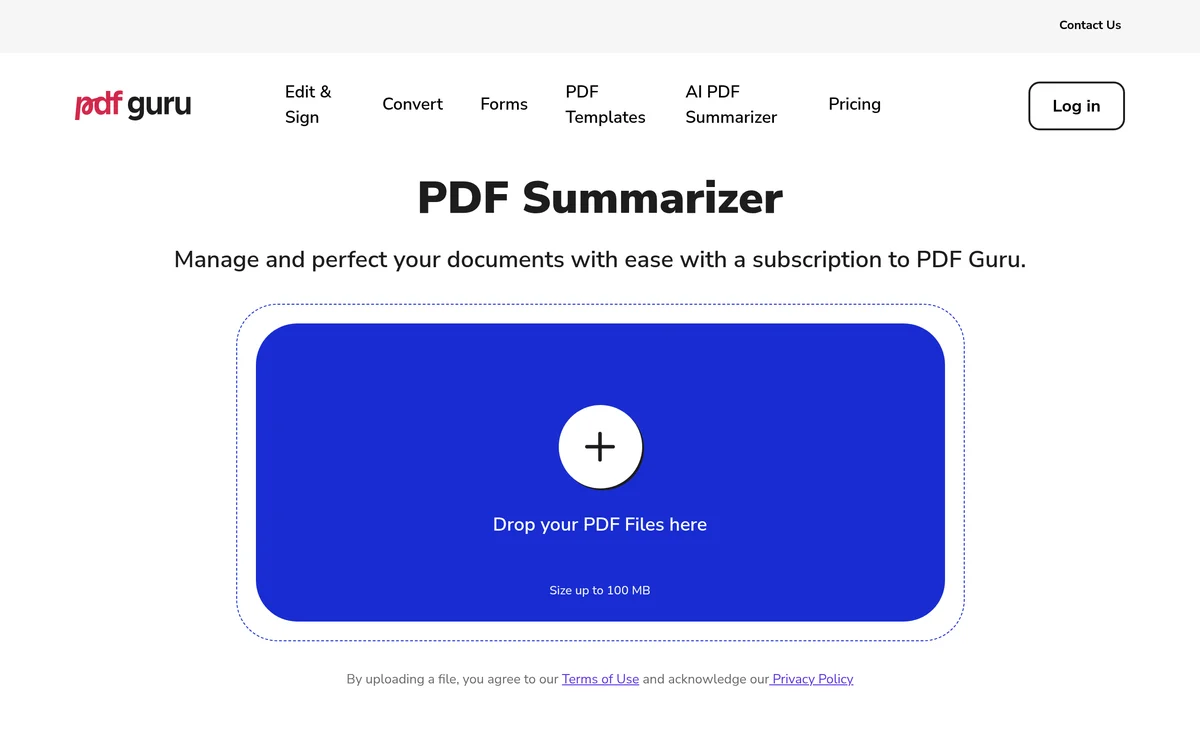
Upload a PDF by clicking the + button or dragging and dropping it into the upload area, with a file size up to 100 MB.
An AI PDF reader analyzes the uploaded document and scans it to pull out the key points.
The PDF AI Summarizer produces a clean, simple summary of the document's main points.
After the summary, AI chat can translate, simplify, rephrase, or extract key information from the text.
You can review the summary and ask follow-up questions about specific parts of the PDF content.
The AI summarizer supports 90+ languages and captures the essence of each text.
The first PDF summary is free, and you can ask up to three questions in the chat.
The tool can be used as a notes maker from PDF to focus study sessions on the essentials.
The summarizer is built to handle long PDFs and return the main points.
You can summarize a PDF on a Mac or any other device in the browser with no app to install and no setup, using a stable internet connection.
Uploads and processing use HTTPS encryption and trusted security protocols, and the tool is verified by Google Safe Browsing.
| Plan | Price | Notes |
|---|---|---|
| All plans | No public pricing | The official pricing page does not list prices; it asks you to contact sales or book a demo. Checked Nov 28, 2026. |
Pricing checked on 28 November 2026. Source