Resume file import
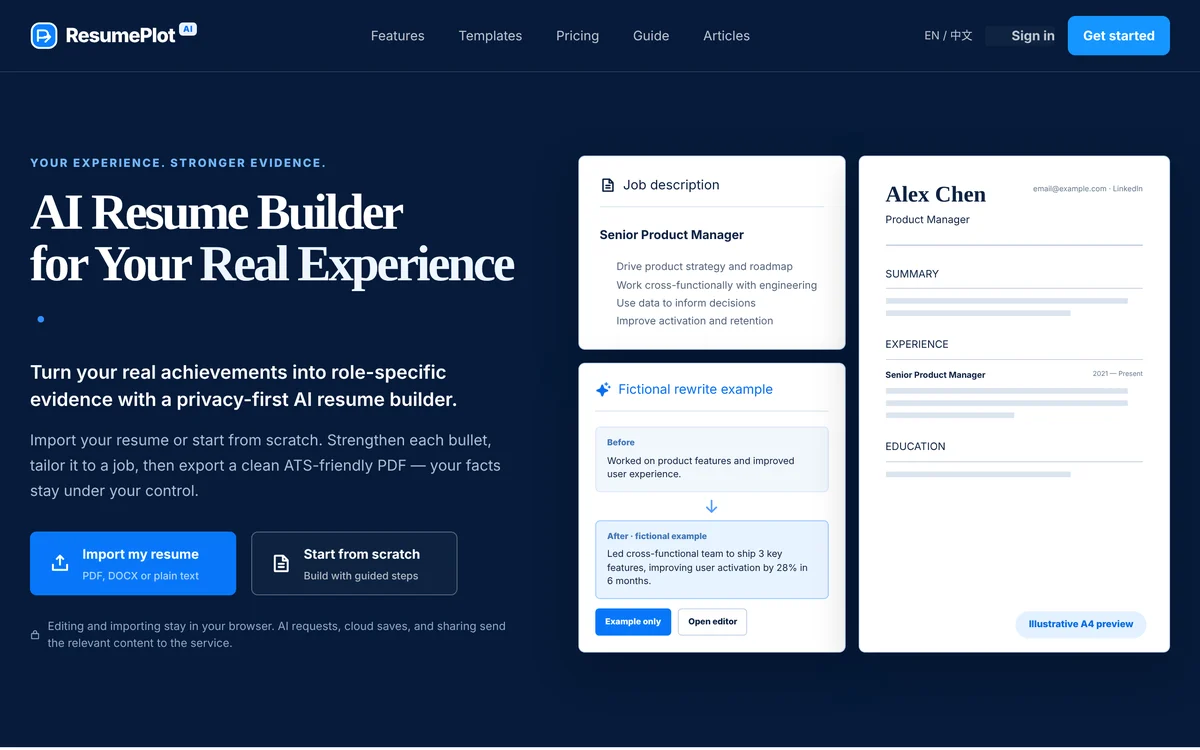
Import an existing resume as a PDF, DOCX, or plain text file so your content is in place.
 Skip to content

Turn real achievements into a bilingual, ATS-ready resume. Import an existing PDF, DOCX or plain text resume, or begin from a guided template.
Import an existing resume as a PDF, DOCX, or plain text file so your content is in place.
Begin with a guided template and guided steps instead of importing a file.
Make achievements clearer, more specific, and measurable as evidence-based bullets.
Match a job description and surface your most relevant experience for a role-specific resume.
Export a clean, searchable, ATS-friendly PDF that recruiting software can read.
Save JSON and keep an editable copy so you can keep editing the resume for other roles.
AI suggestions are never applied until you review and approve each change.
Editing and importing stay in your browser; AI requests, cloud saves, and sharing send the relevant content to the service.
Choose clean Modern, Classic, or Minimal layouts and edit them freely in English or Chinese.
Example review questions show what evidence a stronger bullet needs, such as shipped features, role, and verifiable results.
| Plan | Price | Notes |
|---|---|---|
| Free | Free | Includes: 1 local resume; 3 core templates; 5 AI edits per month after sign-in; 3 PDF exports per month. |
| 1 month | $9/month | Includes: 50 AI edits; All templates; Unlimited PDF exports; Up to 5 job-specific versions. |
| 3 months | $19 | Billing period not stated on the page. Includes: 180 AI edits; All templates; Unlimited PDF exports; Up to 20 job-specific versions. |
| 12 months | $49/year | Includes: 100 AI edits per month; All templates; Unlimited PDF exports; Unlimited job-specific versions. |
Pricing checked on 28 November 2026. Source