Agent in the editor
A coding agent in the desktop app that plans, edits files and asks you questions before it builds.
 Skip to content

Code editor with an AI agent that writes and edits across your project.
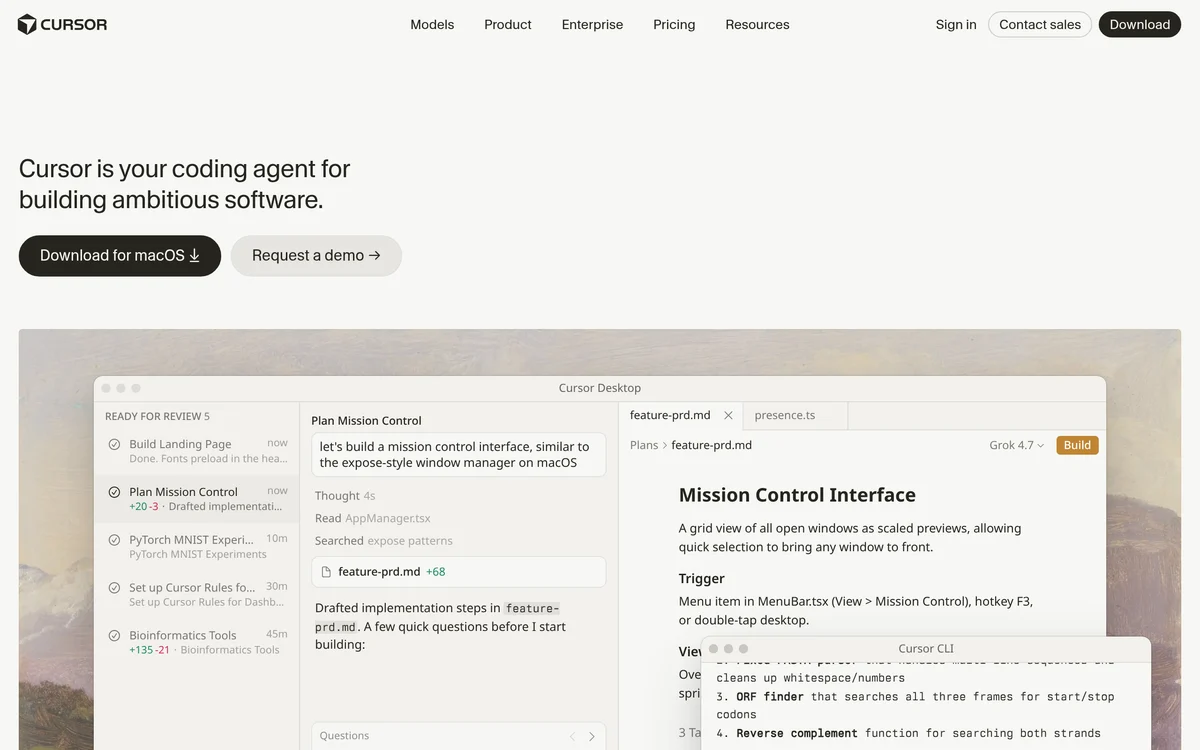
Cursor is an AI code editor and coding agent. You download it for your desktop or use its command-line tool, and it can plan, write and change code across a project based on your instructions. Agents can run in the cloud too.
The pricing page has changed in an unusual way. Individual plans are now bundled with Grok features and X account perks alongside Cursor itself, and the plan ladder is Free, Plus, Premium, Super and Ultra. Third-party model usage in Cursor is billed separately.
A coding agent in the desktop app that plans, edits files and asks you questions before it builds.
A command-line agent for terminal workflows.
Listed from Premium upward.
Code hosting via Origin and AI code reviews via Bugbot are listed on paid plans.
Available at API list price, billed separately by usage.
Centralized billing, usage analytics, SSO, privacy settings and a team marketplace for rules, skills and plugins.
| Plan | Price | Notes |
|---|---|---|
| Free | $0/month | Limited AI usage, with limited agent and chat requests. |
| Plus | $8/month | Introductory plan with a shared AI usage pool. Only Grok models are available on this plan. |
| Premium | $30/month | 4x the usage of Plus, latest Grok models, cloud agents and automations, code hosting and AI code reviews, third-party models at API list price. |
| Super | $100/month | 15x Plus usage and priority model access at peak times. |
| Ultra | $200/month | 50x Plus usage. |
| Teams | From $30/user/month | 4-50x Plus usage, centralized billing, SSO, usage analytics. |
| Enterprise | Custom | Pooled usage, invoice billing, SCIM, granular spend controls. |
Pricing checked on 28 November 2026. Source
Yes, with limited AI usage and limited agent and chat requests.
$30 a month, listed as the most popular plan.
Yes. The page says third-party model usage isn't included and is billed separately.
Yes, Cursor CLI is listed on the homepage.
Yes, from $30 per user per month.